
The order panel
1
Choose a market
Pick from Perpetra’s supported markets.
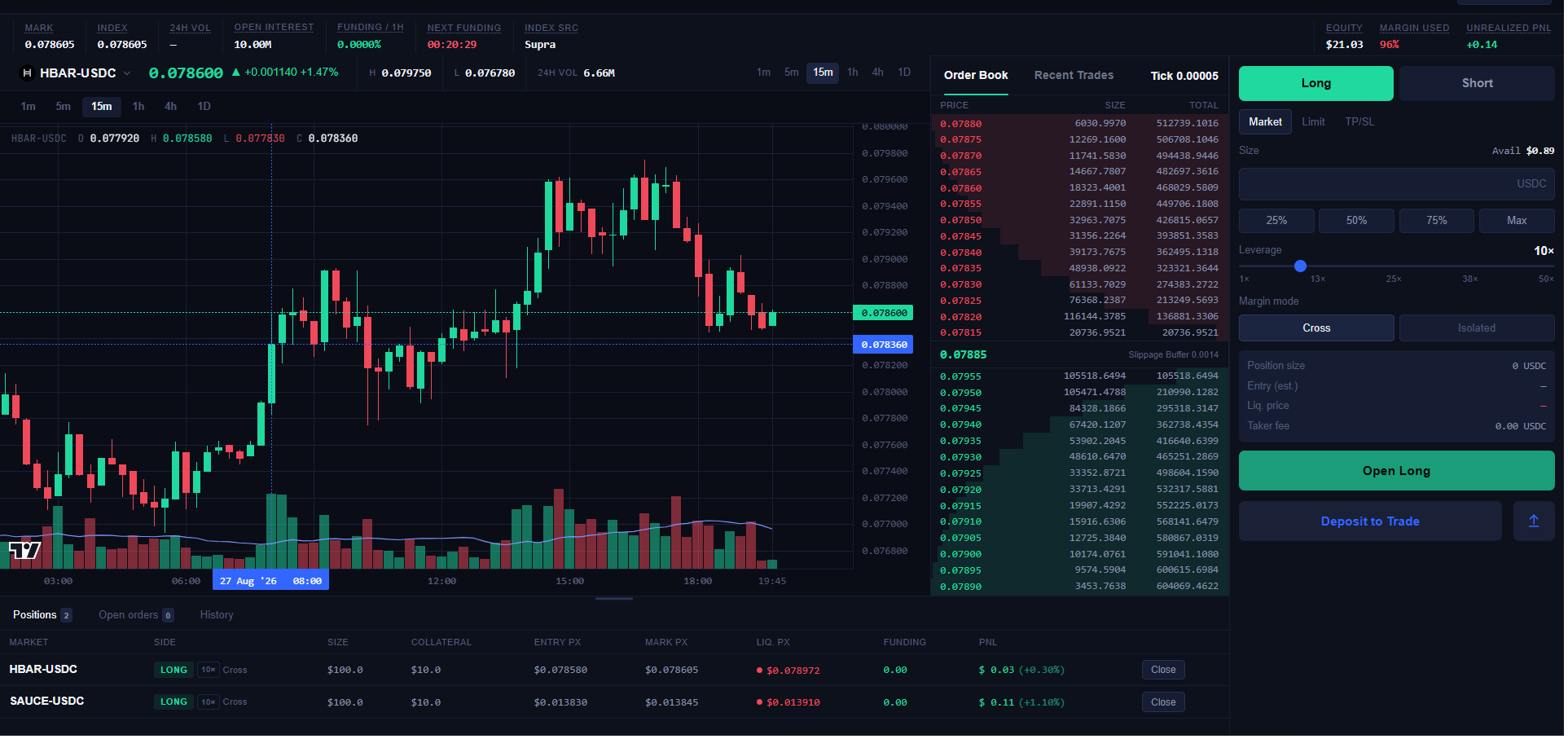
Each market is quoted against USDC. The header bar above the chart shows the
market’s mark price, index price, 24h volume, open interest, current funding
rate, time until next funding, and the index price source (Supra, Chainlink,
or SaucerSwap TWAP depending on the market).
2
Choose a side
Long or Short, at the top right of the order panel.
3
Choose an order type
Market, Limit, or TP/SL. Market fills immediately against the best available
price. Limit rests on the book at your chosen price until it fills. The
TP/SL tab is visible but not functional yet. See Order Types &
Reduce-Only for the full breakdown.
4
Set your size
Enter your position size in USDC, or use the 25% / 50% / 75% / Max
quick-select buttons to size against your available balance.
5
Set your leverage
Drag the leverage slider (1x to 50x) to choose how much of the position is
backed by your collateral versus borrowed exposure. Higher leverage means a
smaller price move against you will trigger liquidation. See Positions &
Margin.
6
Choose your margin mode
Cross or Isolated. This determines whether your collateral is shared across
positions or walled off per position. See Margin
Modes.
7
Review and sign
Before submitting, review the order info section: position size, estimated
entry price, liquidation price, and taker fee. Confirming the order (Open
Long / Open Short) prompts your wallet to sign an EIP-712 message. No gas is
charged at this step.
If you haven’t deposited collateral yet, the submit button shows Deposit to
Trade instead. See Deposits &
Withdrawals.